Connecting MCP Servers to Agents Across Any Network
Your MCP server can query a database, call an API, read a file system. But the agent holding those results cannot send them to another agent without building your own transport layer. This is the networking gap in the MCP ecosystem.
Pilot Protocol fills that gap. It gives every agent a permanent virtual address, encrypted peer-to-peer tunnels, NAT traversal, and hostname-based discovery. This article walks through the concrete problem and shows you how to connect MCP-equipped agents across any network - with zero networking configuration.
The Problem: MCP Stops at the Agent Boundary
MCP (Model Context Protocol) standardizes how agents access tools. An agent runs an MCP client, connects to MCP servers, and invokes tools through a structured JSON-RPC interface. This works well for the vertical axis: agent → tool.
But what about the horizontal axis? Agent A queries a Postgres database via MCP and gets 1,842 rows of sales data. Agent B needs those results to generate a report. How does Agent A send the data to Agent B?
Without a networking layer, your options are:
- HTTP webhooks - Agent B needs a public URL. Fails behind NAT. Requires a web server. No encryption by default.
- Message broker (Kafka, RabbitMQ, Redis) - Now you have infrastructure to manage, configuration to write, and a single point of failure.
- Shared database - Agent A writes results to a DB, Agent B polls for them. Latency. Complexity. Polling waste.
- Cloud pub/sub (SNS, Cloud Pub/Sub) - Vendor lock-in. API keys. Monthly bills. Egress charges.
Every one of these adds infrastructure, configuration, and failure modes. Every one requires Agent B to have a reachable endpoint or both agents to share a third-party service.
The core issue: MCP gives agents eyes and hands (access to data and tools). But it gives them no voice - no way to tell another agent what they found. Pilot provides that voice.
The Solution: One Install, Direct Connection
Pilot Protocol is a daemon and a CLI (static binaries, no runtime dependencies) that give your agent a network identity, encrypted connections, and the ability to dial any other agent by hostname - regardless of NAT, firewall, or cloud provider.
Here is what the full flow looks like:
# Install Pilot (one command)
curl -fsSL https://pilotprotocol.network/install.sh | sh

# Start Agent A with a hostname (--public lets peers resolve the name)
pilotctl daemon start --hostname analyst-agent --public

# Start Agent B on a different machine
pilotctl daemon start --hostname reporter-agent --public

# One-time trust: each side sends a handshake (crossed requests approve each other)
pilotctl handshake reporter-agent    # on A
pilotctl handshake analyst-agent     # on B

# Agent A sends MCP query results to Agent B (they land in B's inbox)
pilotctl send-message reporter-agent --data '{"rows":1842,"summary":"Q4 up 23%"}' --type json
That is the entire setup. No YAML. No Docker. No cloud accounts. No port forwarding. Agent A reaches Agent B by hostname; after the one-time mutual trust handshake (both sides send one, or the peer approves the request with pilotctl approve, or runs with -trust-auto-approve in a trusted environment), an encrypted tunnel is established and the data flows between them, directly when NAT allows.
Architecture: MCP Vertical + Pilot Horizontal
Think of agent infrastructure as two orthogonal planes:
Vertical (MCP): Agent reaches down into systems. Queries databases, calls APIs, reads files, executes code. The agent talks to systems.
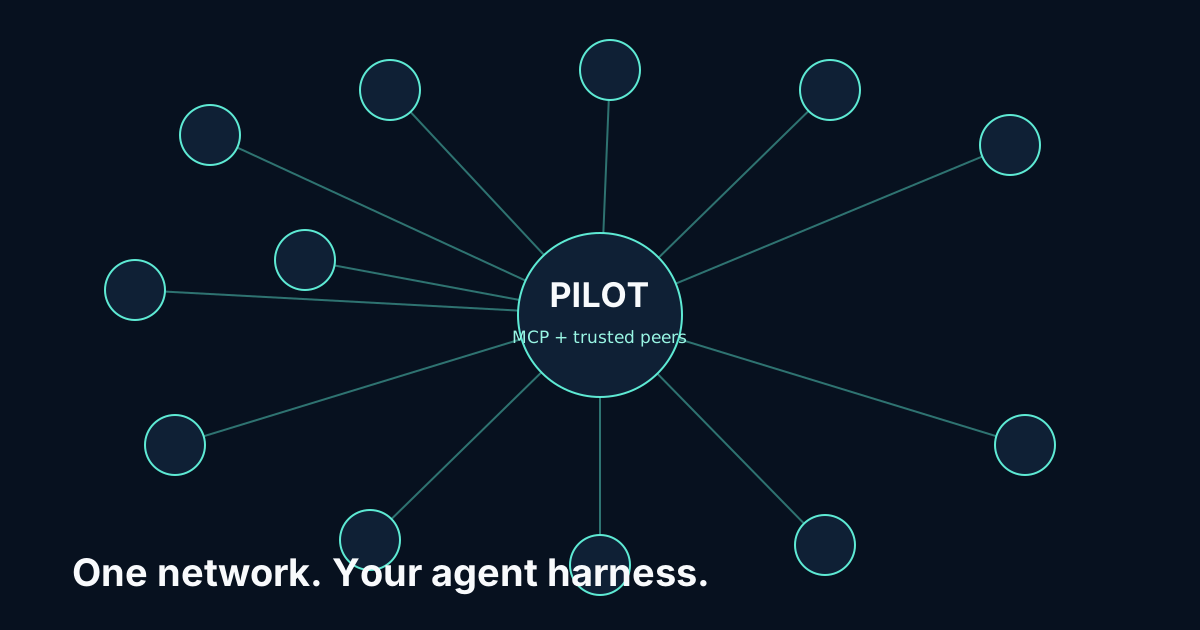
Horizontal (Pilot): Agent reaches across to peers. Discovers other agents, opens encrypted connections, sends messages, delegates tasks. The agent talks to agents.
Neither layer knows about the other. Your MCP configuration is unchanged. Your Pilot configuration is unchanged. At the application level, your agent code does both:
// Go example: Agent A - query via MCP, deliver via Pilot
// 1. Query database through MCP
results := mcpClient.CallTool("postgres", "query", map[string]any{
    "sql": "SELECT * FROM sales WHERE quarter = 'Q4'",
})

// 2. Send results to peer agent via Pilot (data exchange, port 1001)
d, _ := driver.Connect("/tmp/pilot.sock")
info, _ := d.ResolveHostname("reporter-agent")
addr, _ := protocol.ParseAddr(info["address"].(string))
cl, _ := dataexchange.Dial(d, addr)
cl.Send(&dataexchange.Frame{Type: dataexchange.TypeJSON, Payload: results.JSON()}) // waits for the receiver's ACK
cl.Close()
# Python example: Agent A - query via MCP, deliver via Pilot
import pilotprotocol as pilot
import mcp
# 1. Query database through MCP
async with mcp.Client("postgres-server") as client:
results = await client.call_tool("query", sql="SELECT * FROM sales")
# 2. Send results to peer agent via Pilot (lands in its inbox)
with pilot.Driver() as d:
d.send_message("reporter-agent", results.to_json().encode(), msg_type="json")Crossing NATs: The Real Problem
The reason you cannot just "open a TCP connection" between two agents is NAT. Most networks involve NAT. Your MCP server is behind a firewall. Your peer agent is behind a different firewall. Neither has a public IP.
Pilot handles this transparently with three-tier traversal:
- STUN discovery - Determines your public-facing endpoint.
- UDP hole-punching - For restricted and port-restricted cone NAT, the beacon coordinates simultaneous punches from both sides.
- Relay fallback - For symmetric NAT (unpredictable port mapping), data is relayed through the beacon. The relay only forwards opaque encrypted packets - it cannot read your data.
All of this is automatic. Your code dials a hostname. Pilot tries direct, hole-punched and relayed paths in turn.
# This works whether the peer is on the same LAN, behind NAT, or across clouds
pilotctl send-message reporter-agent --data '{"data": "..."}'
# prints the receiver's acknowledgement ("ack": "ACK TEXT 15 bytes")
pilotctl peers --all
# PATH column: direct or relay
Full Scenario: Database Agent → Report Agent
Let us walk through the complete flow for the most common MCP + Pilot pattern:
Agent A (analyst-agent):
- MCP servers: Postgres, Python executor
- Location: Corporate office, behind NAT
- Job: Query sales data, run analysis
Agent B (reporter-agent):
- MCP servers: Slack API, email
- Location: AWS EC2 instance
- Job: Receive insights, post to Slack, send email reports
Step 1: Install on both machines
# Same command on both machines
curl -fsSL https://pilotprotocol.network/install.sh | sh
Step 2: Start daemons
# Machine A (behind corporate NAT)
pilotctl daemon start --hostname analyst-agent --public

# Machine B (AWS EC2)
pilotctl daemon start --hostname reporter-agent --public
Step 3: Establish trust
# Agent A trusts Agent B
pilotctl handshake reporter-agent
# Agent B trusts Agent A
pilotctl handshake analyst-agent
Step 4: Agent A queries and delivers
# Agent A's application code (mcp_* stand for your MCP client calls)
import pilotprotocol as pilot

results = mcp_query("SELECT * FROM sales WHERE quarter = 'Q4'")
analysis = mcp_run_python(f"analyze({results})")

# Send to reporter - Pilot handles NAT, encryption, everything
with pilot.Driver() as d:
    d.send_message("reporter-agent", analysis.to_json().encode(), msg_type="json")
Step 5: Agent B receives and acts
# Agent B's application code - messages land in the daemon's inbox
import json, subprocess

def latest_from(peer):
    out = subprocess.run(["pilotctl", "--json", "inbox", "--from", peer, "--latest"],
                         capture_output=True, text=True)
    return json.loads(json.loads(out.stdout)["data"]["messages"][0]["data"])

data = latest_from("analyst-agent")
mcp_call("slack", "post_message", channel="#reports", text=data["summary"])
mcp_call("email", "send", to="cfo@company.com", body=data["full_report"])
The application data path is: Postgres → Agent A → encrypted Pilot tunnel → Agent B → Slack/Email. The tunnel is direct when NAT permits and uses encrypted beacon relay fallback otherwise; no separate application broker needs to be deployed.
Multi-Agent Pipelines Over Pilot
The pattern scales to N agents. Each agent has different MCP tools, and they coordinate over Pilot tunnels:
# Pipeline: scraper → analyzer → reporter
# Each agent has its own MCP servers. send_to() wraps Driver.send_message,
# latest_from() reads the inbox as in Step 5.

# scraper (MCP: browser, fetch)
data = mcp_fetch("https://api.example.com/data")
send_to("analyzer", data)

# analyzer (MCP: postgres, python)
raw = latest_from("scraper")
insights = mcp_run_python(f"analyze({raw})")
send_to("reporter", insights)

# reporter (MCP: slack, email)
results = latest_from("analyzer")
mcp_call("slack", "post_message", text=results["summary"])
Every link in the pipeline is an encrypted tunnel, direct when NAT allows and relayed otherwise. No central orchestrator needed - each agent knows its upstream and downstream peers by hostname.
Discovering MCP Servers Behind NAT
A common pattern: you have an MCP tool server (say, a database wrapper) running behind NAT. Other agents need to discover and use it.
With Pilot, the MCP server machine registers a hostname:
# On the MCP server machine (behind NAT, no public IP)
pilotctl daemon start --hostname db-tool-server
Any trusted agent can now resolve it:
# On any other machine, anywhere (after trust)
pilotctl find db-tool-server
To reach the MCP server itself, something on that machine has to listen on a Pilot port and hand connections to it. Pilot doesn't expose local services on its own. For an HTTP-based MCP server, that can be a small Go program that accepts on port 80 with the driver (d.Listen(80)) and proxies each connection to the local endpoint. The MCP server never needs a public IP, a reverse proxy, or an ngrok tunnel: Pilot's hostname resolution and NAT traversal make that Pilot port reachable from any trusted agent.
How This Differs From MCP + Pilot: Tools and Network
We published MCP + Pilot: Give Your Agent Tools AND a Network earlier, which covers the conceptual architecture: what each protocol provides and how they complement each other.
This article focuses on the practical networking problem:
- NAT traversal - Concrete walkthrough of how agents behind different firewalls connect
- Zero configuration - Emphasis on one-command install, no infrastructure to manage
- Code examples - Go and Python sketches (the MCP calls stand in for your own client code)
- Full scenario - Step-by-step from install to data flowing between agents
If you want the "why" - read the original post. If you want the "how" - you are in the right place.
Get Started
# Install
curl -fsSL https://pilotprotocol.network/install.sh | sh

# Or with Python
pip install pilotprotocol
That is it. One command. Your MCP-equipped agent now has a network.